Aesir Systems Vara™
On-prem or SaaS scanning and analysis dashboard with multi-framework lenses. Aggregate security data, prioritize remediation, and track compliance with all of your requirements. Consume the output of your security processes all in one place -- both those that come from the Aesir Systems Automation Platform™ and elsewhere.
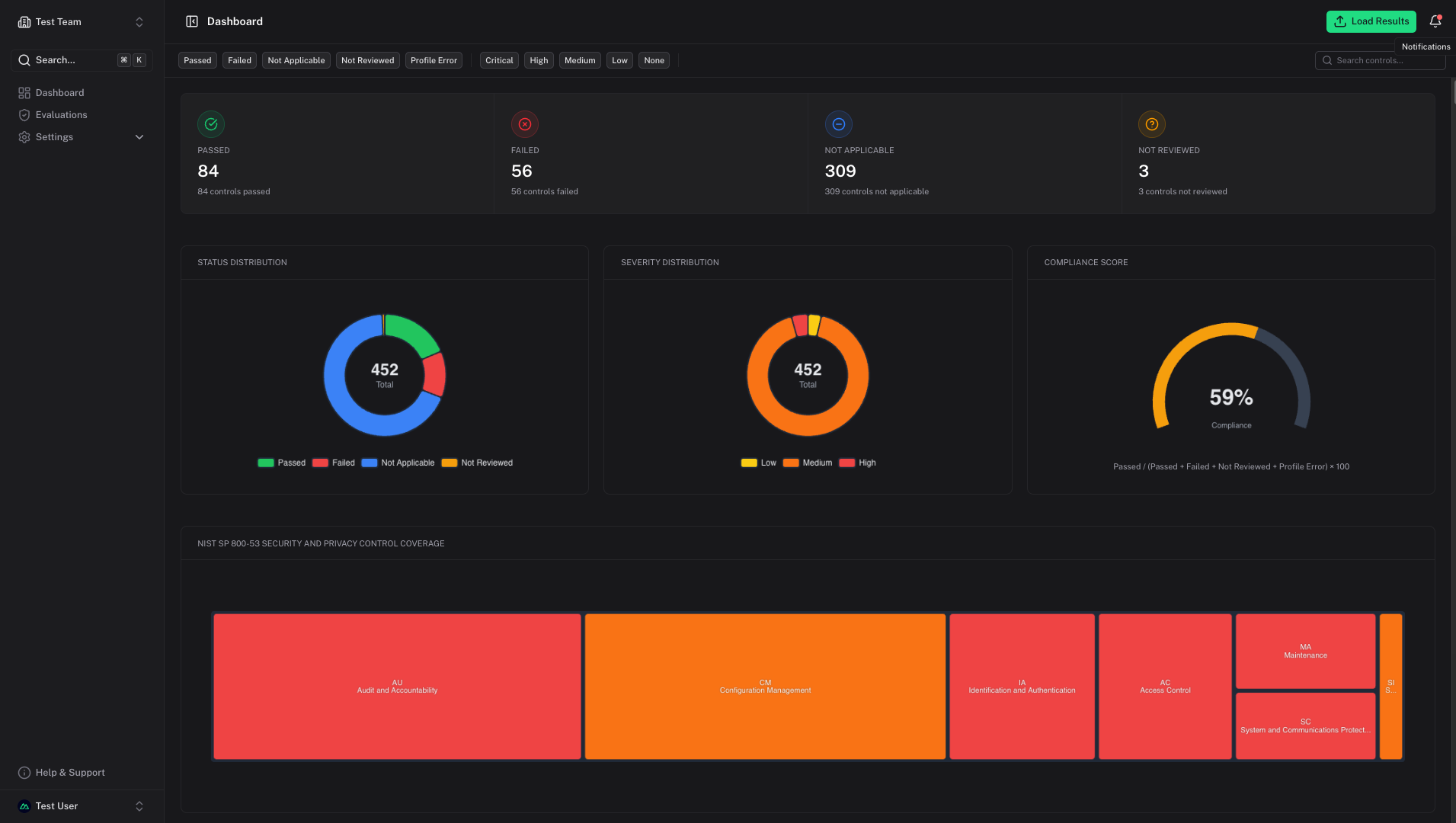
Visualize and Manage Security Data
See the Whole Field at Once
Use Vara to view all of your security data, regardless of source or format.
Pipeline Ready, Human-Friendly
Consume data from automated pipelines using Vara's API or upload targeted ad-hoc scans.
Supports 20+ Scanning Data Sources
Enable Deep Analysis
Drill down into root causes and identify and implement fixes. Give both leadership and frontline engineers the data they want at the level of detail they need.
Leverage Multi-Framework Compliance Lenses
View Your Security Posture from Any Angle
Put your data in the context of FedRAMP, CMMC, NIST RMF, DoW, or even your organization's own custom security policies.
One Data Source, Many Views
Switch frameworks instantly without re-scanning.
Open-Book Testing
Organize your data according to the standards by which your assessors will judge you.
Enterprise Ready
Built for teams that need centralized security visibility across multiple systems, with collaboration features and audit capabilities for enterprise environments.
Team- and Project-Organized
Audit Trail
Multi-Tenant Support
SSO Integration
API Access
Portfolio Compliance Aggregation
AI-Assisted Insights
Deployment Options
Vara supports multiple deployment options including containers, system packages, and Kubernetes. Choose the method that fits your environment.
# Pull and run Vara
docker pull aesirsystems/vara:latest
docker run -d -p 3000:3000 aesirsystems/vara:latest

# Access at http://localhost:3000
# Clone the repository
git clone https://github.com/aesirsystems/vara.git
cd vara

# Start with Docker Compose
docker-compose up -d
# Add the Aesir Systems Helm repository
helm repo add aesir https://helm.aesirsystems.com
helm repo update

# Install Vara
helm install vara aesir/vara
# Download and install RPM (RHEL/CentOS/Fedora)
wget https://packages.aesirsystems.com/vara/vara-latest.rpm
sudo rpm -ivh vara-latest.rpm

# Start the service
sudo systemctl start vara
sudo systemctl enable vara
# Download and install DEB (Debian/Ubuntu)
wget https://packages.aesirsystems.com/vara/vara-latest.deb
sudo dpkg -i vara-latest.deb

# Start the service
sudo systemctl start vara
sudo systemctl enable vara
# Download the MSI installer
# https://packages.aesirsystems.com/vara/vara-latest.msi

# Run the installer with PowerShell
Start-Process msiexec.exe -ArgumentList '/i', 'vara-latest.msi', '/qn' -Wait

# Start the Vara service
Start-Service Vara
Ready to Unify Your Security Visibility?
Vara gives you one dashboard for all your security data across every framework.