Aesir Systems Sindre™
Accelerate Security Documentation
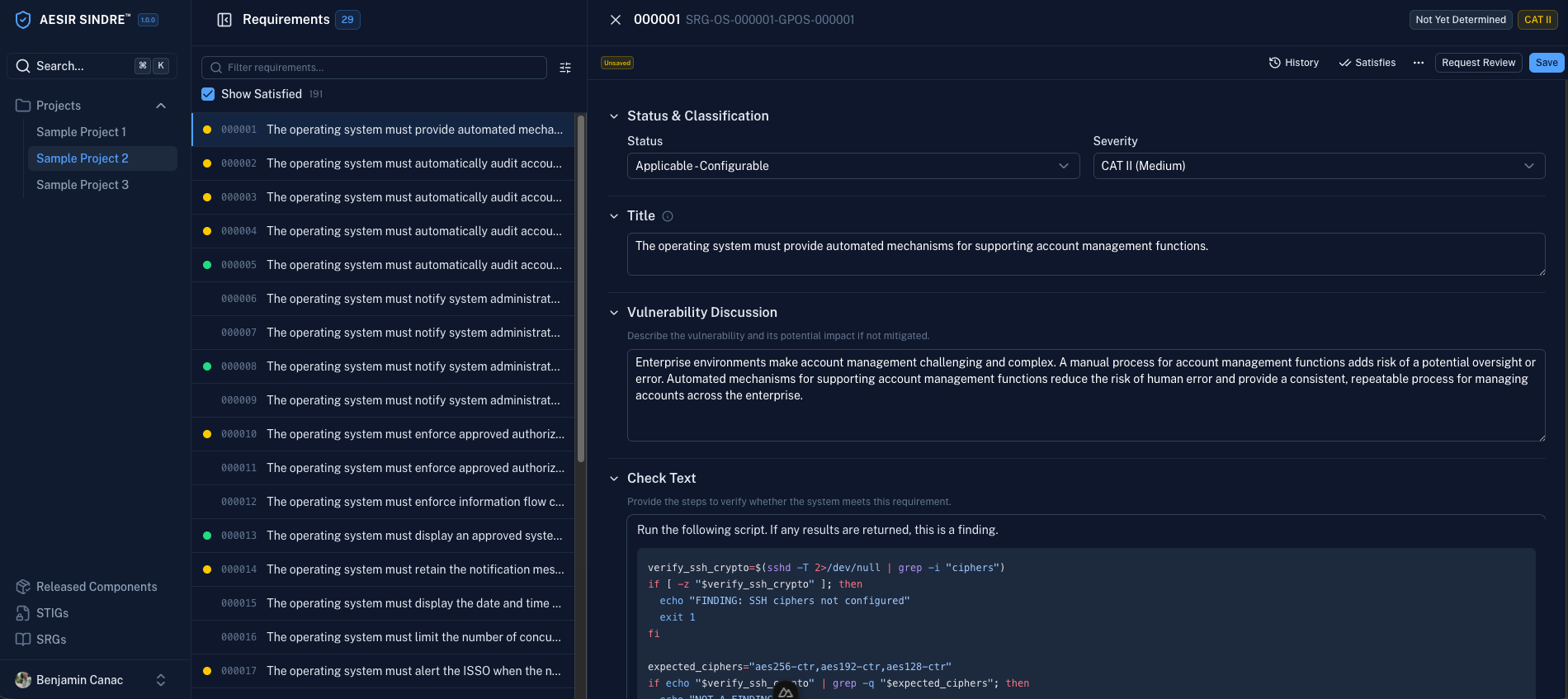
Modern Webapp Interface
Replace manual XCCDF/STIG workflows with an intuitive web application.
Standards-Aligned
Cross-reference with DISA STIGs, SRGs, and NIST controls.
Collaboration-Ready
Built-in RBAC
Role-based access control for creating, reviewing, and publishing security guidance.
Version Control & Peer Review
Track changes, manage versions, and enforce peer review workflows.
Collaborative Authoring
Multiple team members can work simultaneously with conflict resolution.
Jump Start Automation
Generate Automation Code
Automatically generate InSpec validation and hardening automation from guidance documents.
Blueprint Security
Combine automation for the guidance you build in Sindre with off-the-shelf, ready-to-rock Aesir Systems Automation Content™ to rapidly secure your whole system stack.
Enterprise Ready
Deployment Options
# Pull and run Sindre
docker pull aesirsystems/sindre:latest
docker run -d -p 3000:3000 aesirsystems/sindre:latest

# Access at http://localhost:3000
# Clone the repository
git clone https://github.com/aesirsystems/sindre.git
cd sindre

# Start with Docker Compose
docker-compose up -d
# Add the Aesir Systems Helm repository
helm repo add aesir https://helm.aesirsystems.com
helm repo update

# Install Sindre
helm install sindre aesir/sindre
# Download and install RPM (RHEL/CentOS/Fedora)
wget https://packages.aesirsystems.com/sindre/sindre-latest.rpm
sudo rpm -ivh sindre-latest.rpm

# Start the service
sudo systemctl start sindre
sudo systemctl enable sindre
# Download and install DEB (Debian/Ubuntu)
wget https://packages.aesirsystems.com/sindre/sindre-latest.deb
sudo dpkg -i sindre-latest.deb

# Start the service
sudo systemctl start sindre
sudo systemctl enable sindre
# Download the MSI installer
# https://packages.aesirsystems.com/sindre/sindre-latest.msi

# Run the installer with PowerShell
Start-Process msiexec.exe -ArgumentList '/i', 'sindre-latest.msi', '/qn' -Wait

# Start the Sindre service
Start-Service Sindre